
Manage client bookings with professional ease
Your expertise is your product — not calendar management. Let clients book consultations, strategy sessions, and retainer check-ins on their own terms while you stay in control of your time.
Scheduling shouldn't be the hard part
Stop losing time to back-and-forth emails. Here's how FindTime eliminates the friction.
Clients email requesting times that are already taken
Real-time availability shows only open slots — no double-booking
Managing different session types and durations is messy
Unlimited session types on every plan; per-type custom durations and buffers on Professional+; paid sessions via Stripe on Professional+
Timezone confusion with international clients
Automatic timezone detection shows times in each client’s local zone
Rescheduling and cancellations require manual juggling
Self-service reschedule and cancellation links in every confirmation email; minimum-notice rules on Professional+
You spend time replying to scheduling emails instead of doing client work
AI Email Agent (addon, 30-day trial on every plan) handles scheduling conversations in your professional tone
Client history is scattered across email, notes, and memory
AI CRM & Contact Intelligence (addon, 60-day trial on every plan) keeps every client’s meetings and key details in one timeline, automatically
You lose track of who you have met with and when
Every booking writes a record you can review chronologically; team analytics across consultants available on Teams plan
Workshops stall while you chase a time the whole client team can make
Availability polls (Starter and up) let every stakeholder vote, then you book the winning time
Retainer clients compete with new inquiries for your best slots
Access codes show priority availability only to the clients you give a code to
Built for how you actually work

Multiple Service Types
Offer different consultation packages with unique durations, descriptions, and scheduling rules. From a 15-minute intro call to a full-day strategy workshop, each gets its own booking page. Unlimited types on every plan; per-type custom controls on Professional and up.
- Unlimited session types on every plan
- Custom duration and buffer time per service type on Professional+
- Client-facing descriptions, custom questions, and screening forms on Professional+
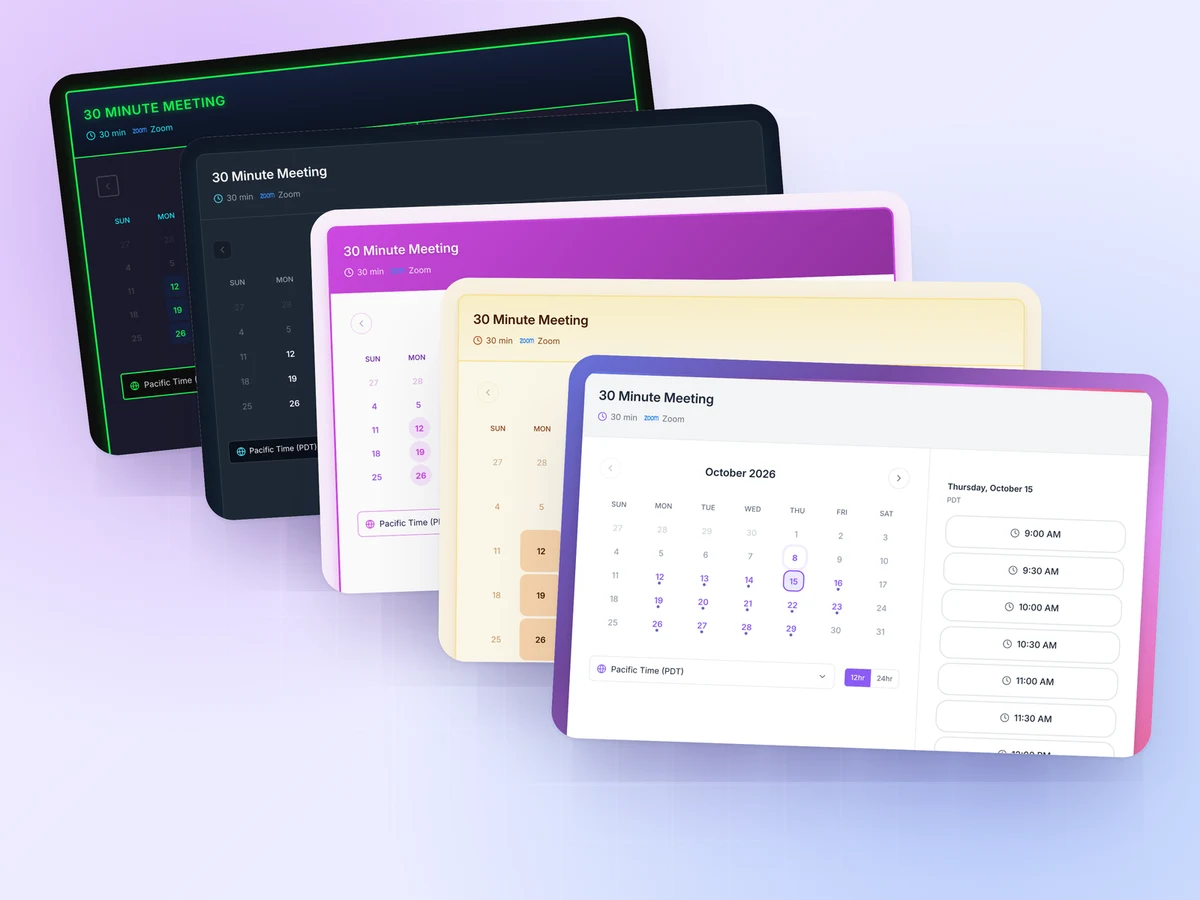
Client-Friendly Booking Experience
Your booking page is an extension of your brand. Clients see a polished, professional interface that makes scheduling feel effortless — not like a chore.
- 5 templates on Starter; 12 templates, custom fonts and a custom domain on Professional+
- Automatic timezone handling for global clients
- Mobile-friendly booking page; optional embed widget (modal or inline iframe) for your website

Smart Calendar Management
Set working hours and block focus time so clients only see time you actually want to give. Add per-type buffer and frequency limits on Professional and up.
- Working hours, vacations, and blocked dates honoured on every plan
- Minimum-notice rules, maximum advance booking, and per-type buffers on Professional+
- Meeting-frequency limits per day or week on Professional+
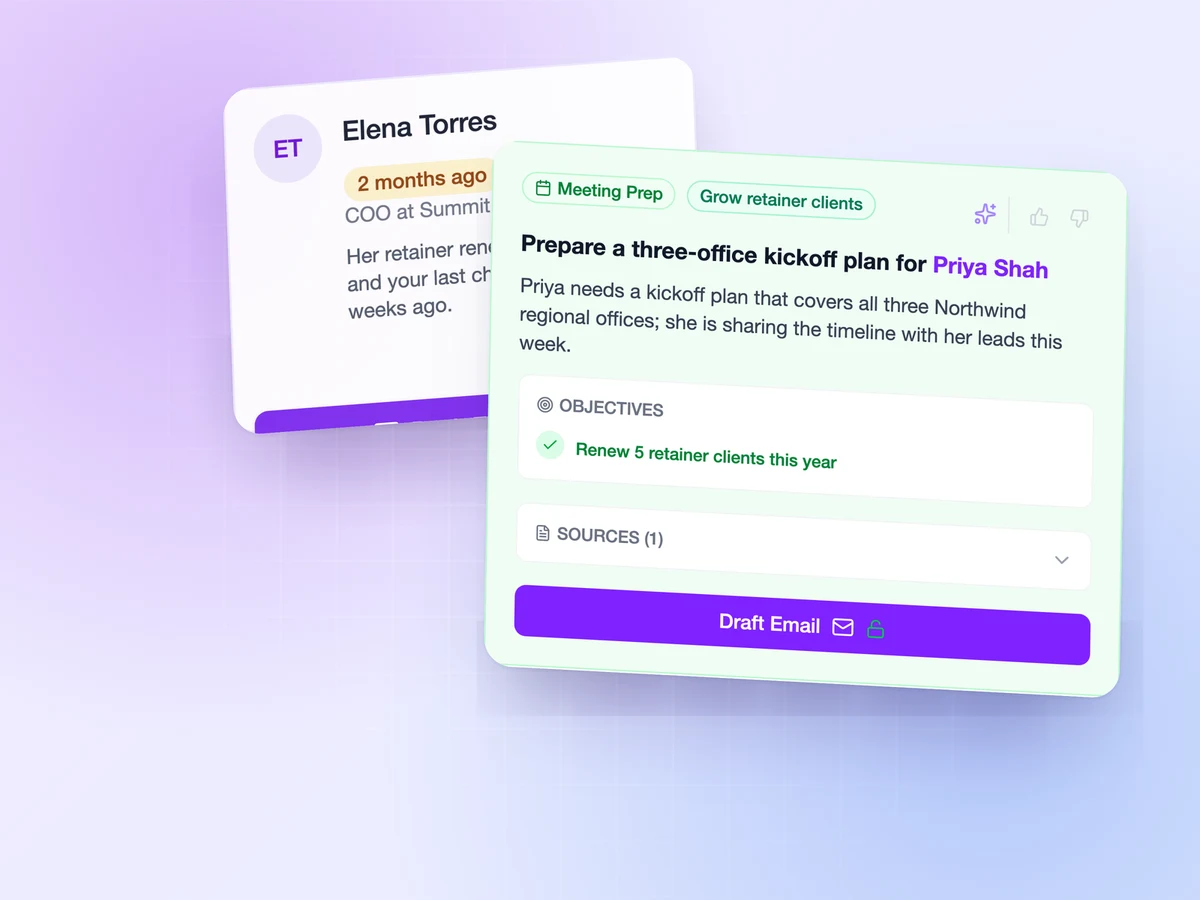
AI CRM & Contact Intelligence (Addon)
Every client interaction builds a richer picture. FindTime’s AI CRM & Contact Intelligence automatically tracks meeting history, captures key details from your calls, and surfaces insights — so you always know where each client relationship stands.
- Automatic contact records from every booking
- Full meeting history and engagement timeline per client
- Time to Reconnect flags clients you haven’t met with recently, before a retainer cools
- Client status reports from your meetings, with progress carried forward each period and a PDF or PowerPoint deck (Professional and up)
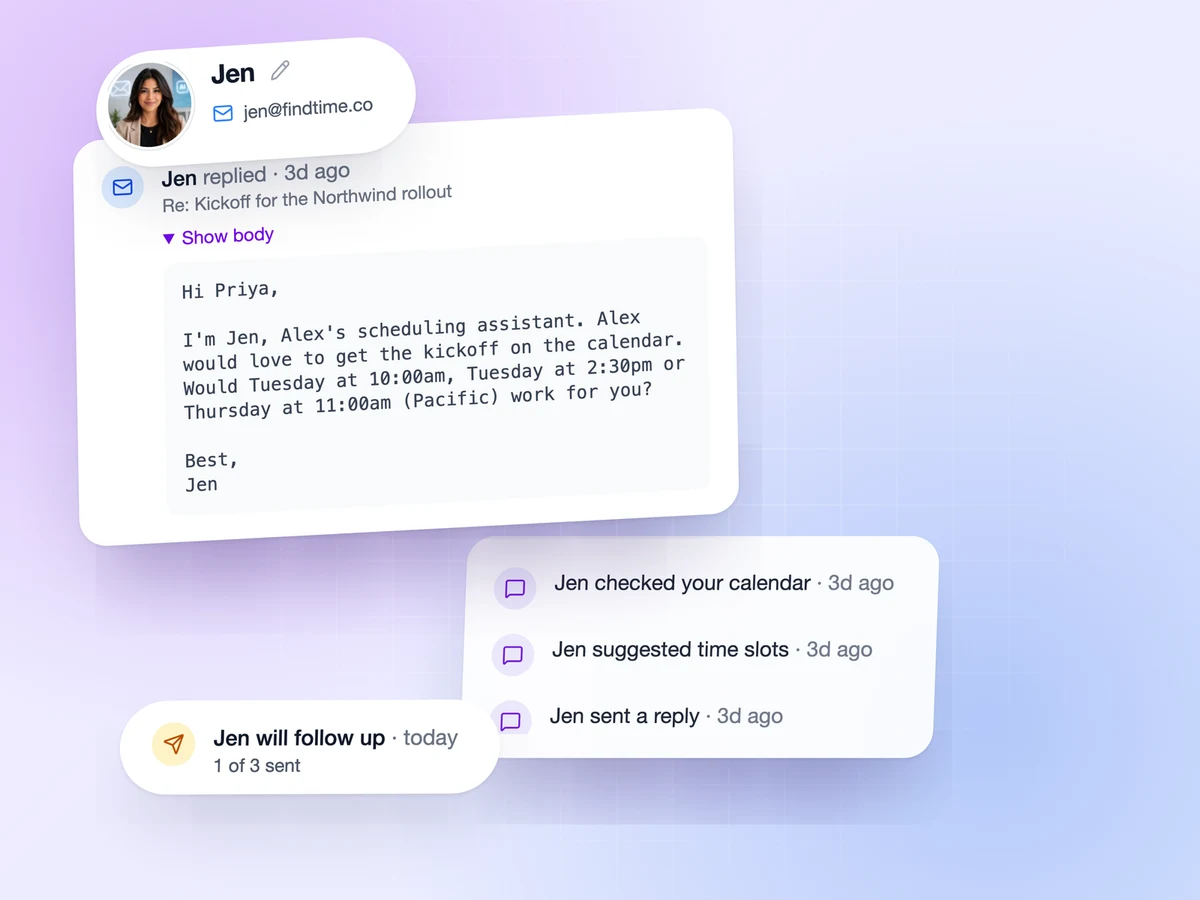
AI Email Agent (Addon)
Clients email you to schedule? Let AI handle it. CC FindTime’s AI Email Agent and it manages the conversation, checks your availability, and confirms meetings in natural, professional language — like a virtual assistant that never sleeps.
- CC it on a client email and it replies, proposes times, and books
- Handles rescheduling, cancellations, and follow-ups
- Training Mode lets you approve every reply before it sends