
Delight customers with effortless scheduling
Onboarding calls, quarterly business reviews, and escalation meetings should be easy to book — not a friction point in the customer relationship. Make every touchpoint seamless.
Scheduling shouldn't be the hard part
Stop losing time to back-and-forth emails. Here's how FindTime eliminates the friction.
Customers churn partly because check-ins are hard to schedule
Self-service booking makes it easy for customers to stay engaged
Onboarding timelines slip due to scheduling delays
New customers book their kickoff immediately after signing
QBR scheduling takes weeks of email back-and-forth
One link, one click — customers pick a time that works for them
Escalations sit in queue waiting for a meeting to be coordinated
Dedicated booking links for urgent-issue meeting types get on the calendar without coordination overhead
CSMs manage too many tools for scheduling different account tiers
Multiple meeting types organize your schedule by engagement type
You can’t track which accounts haven’t had a touchpoint recently
AI CRM & Contact Intelligence (addon, 60-day trial on every plan) flags accounts you haven’t met with recently before they become churn risk
QBRs with several customer stakeholders take weeks to pin down
Availability polls (Starter and up) let every stakeholder vote, then you book the winning time
Built for how you actually work

Structured Customer Touchpoints
Create booking pages for every stage of the customer lifecycle — onboarding kickoffs, training sessions, QBRs, renewal discussions, and ad-hoc support calls. Unlimited types on every plan; per-type custom controls on Professional and up.
- Unlimited meeting types on every plan
- Custom duration and buffer per type on Professional+
- Custom questions capture account context before every call

Team-Based Scheduling (Teams plan)
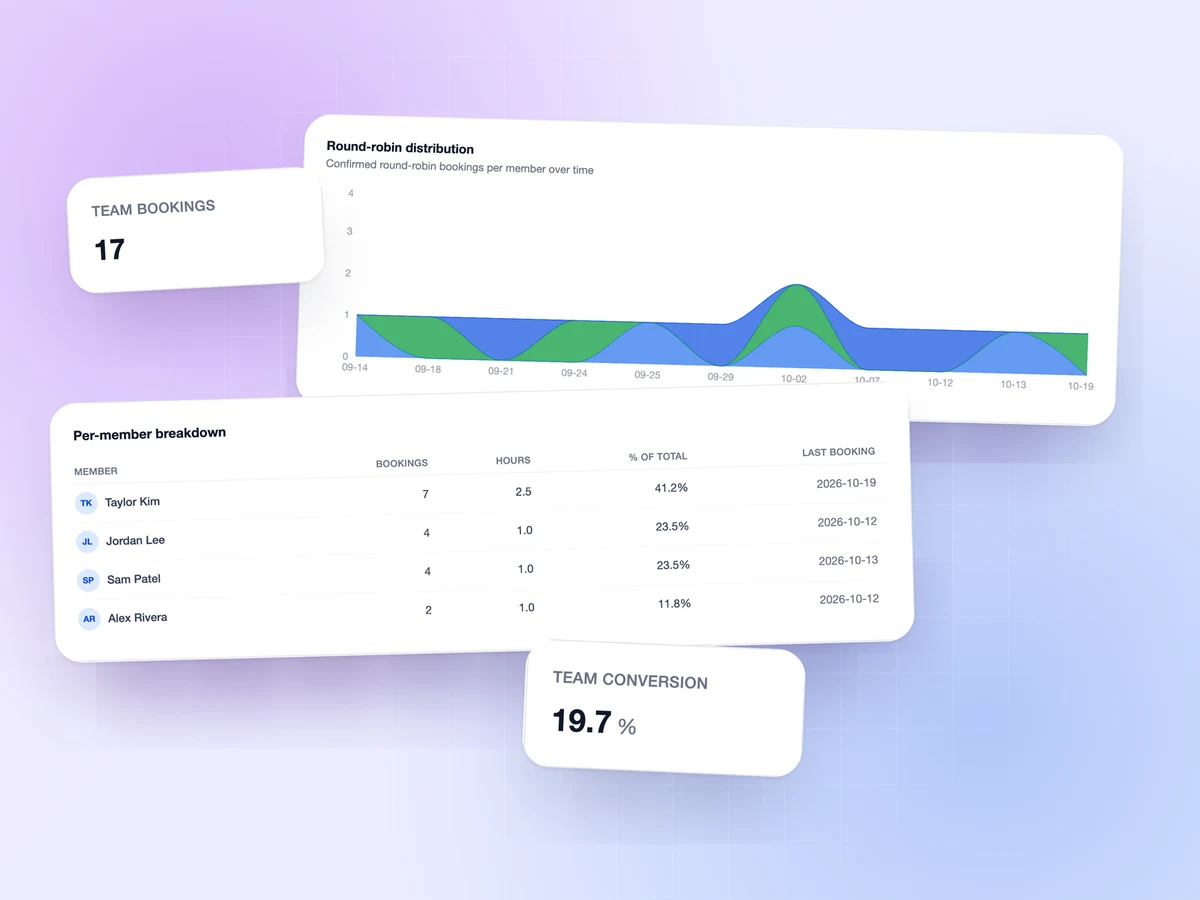
Route customers to the right CSM based on account assignment, or pool inbound requests across the team for coverage when individual CSMs are unavailable. Available on FindTime Teams plan.
- Round-robin distribution or pooled (first-available) routing
- Per-CSM live calendar availability
- Optional per-rep numeric weights so senior CSMs receive more inbound
Proactive Engagement Tracking
See which customers have gone quiet before they become churn conversations. The AI CRM & Contact Intelligence ($90/user/mo addon) flags accounts you haven’t met with recently, and team analytics on the Teams plan show each CSM’s booking load.
- Time to Reconnect flags accounts with no recent touchpoint
- AI insights and meeting prep tied to your renewal goals
- QBR-ready status reports from your meeting transcripts, exported as a PDF or PowerPoint deck (Professional and up)
- Team analytics (Teams plan): bookings and hours per CSM over time