
Book showings and meetings without the runaround
Buyers and sellers move fast. Let them schedule property showings, listing consultations, and closing prep on their time — so you never miss an opportunity because of a scheduling delay.
Scheduling shouldn't be the hard part
Stop losing time to back-and-forth emails. Here's how FindTime eliminates the friction.
Hot leads go to another agent while you play phone tag
Instant booking links let prospects lock in a time immediately
Coordinating showings across buyers, sellers, and your schedule
Unlimited calendar connections on Professional+ check work, personal, and brokerage calendars together; collective scheduling (Teams plan) finds times that work across multiple agents
Weekends and evenings get double-booked when you manage by memory
Real-time availability prevents conflicts across all your commitments
Showing requests come in while you are at open houses
AI Email Agent (addon, 30-day trial on every plan): CC it on a buyer’s email and it books the showing while you’re busy
Buyers want last-minute showings you can’t accommodate
Minimum-notice settings (Professional plan) let you control how quickly people can book
You lose track of which buyers saw which properties
AI CRM & Contact Intelligence (addon, 60-day trial on every plan) keeps every buyer’s meetings, showings booked through FindTime included, in one timeline
Open house follow-ups fall through the cracks
Different meeting types for showings, consultations, and follow-ups; in-person types carry the property address
Clients don’t know which office or listing to book through
Team landing pages (Teams plan) configured per office or listing — clients pick the location, then book with the right agent
Built for how you actually work

Meeting Types for Every Stage
Create dedicated booking pages for each part of the real estate journey — buyer consultations, property showings, listing presentations, offer reviews, and closing prep. Unlimited types on every plan; per-type custom controls on Professional and up.
- Unlimited meeting types on every plan
- Custom duration and buffer per type on Professional+; custom screening questions on Professional+
- Share specific booking links in listings and follow-up emails

Always-On Availability
Real estate doesn’t run 9-to-5. Set flexible hours that include evenings and weekends, with the ability to block personal time so clients only see what you want them to see.
- Custom weekly schedules including weekends
- Block off personal time, commute windows, and lunch
- Holiday and vacation overrides when you’re away
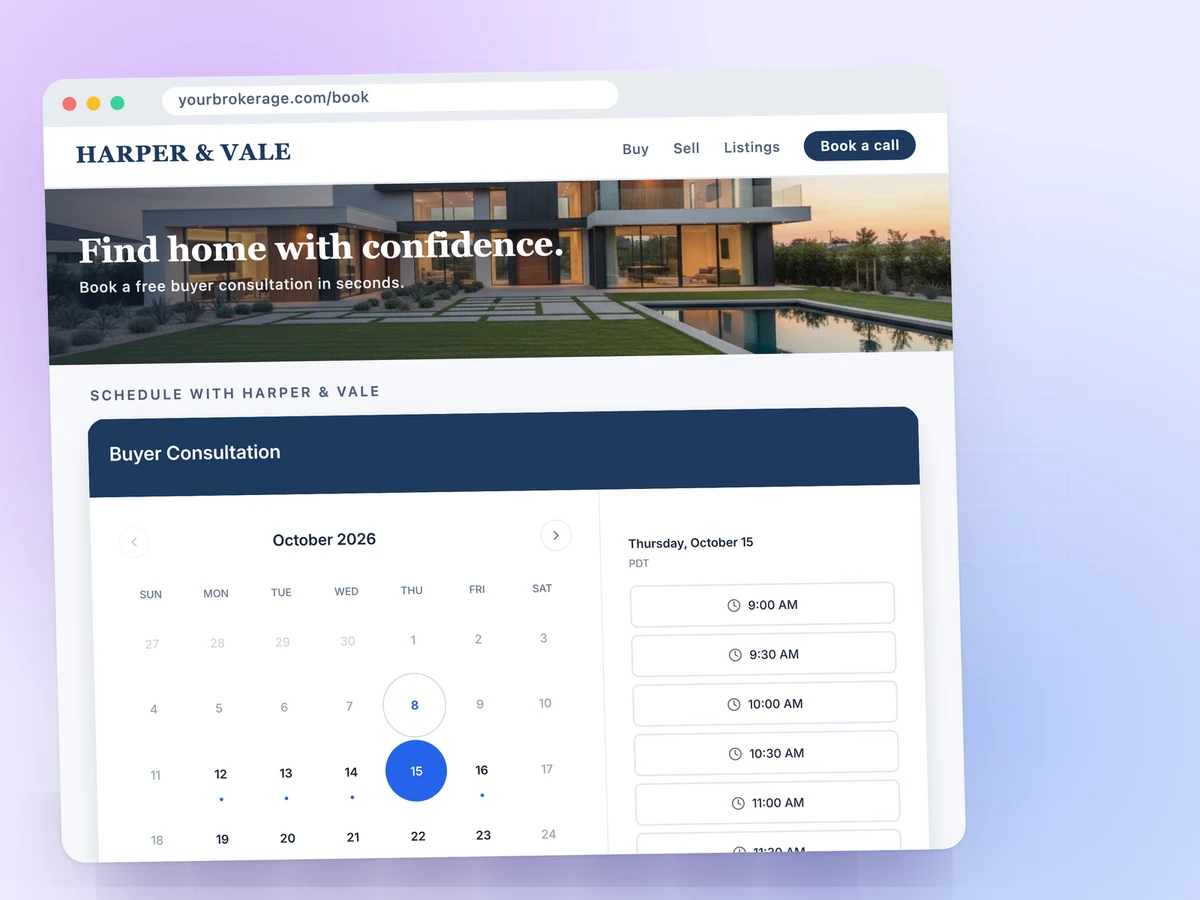
Professional Brand Presence
Your booking page is a reflection of your personal brand. 5 templates on Starter; on Professional and up, add custom fonts and a custom domain so the page reads as your brokerage.
- 5 templates on Starter; 12 templates, custom fonts and a custom domain on Professional+
- Embed widget (modal or inline iframe) for your real estate website or landing pages
- Mobile-friendly for clients browsing on their phone
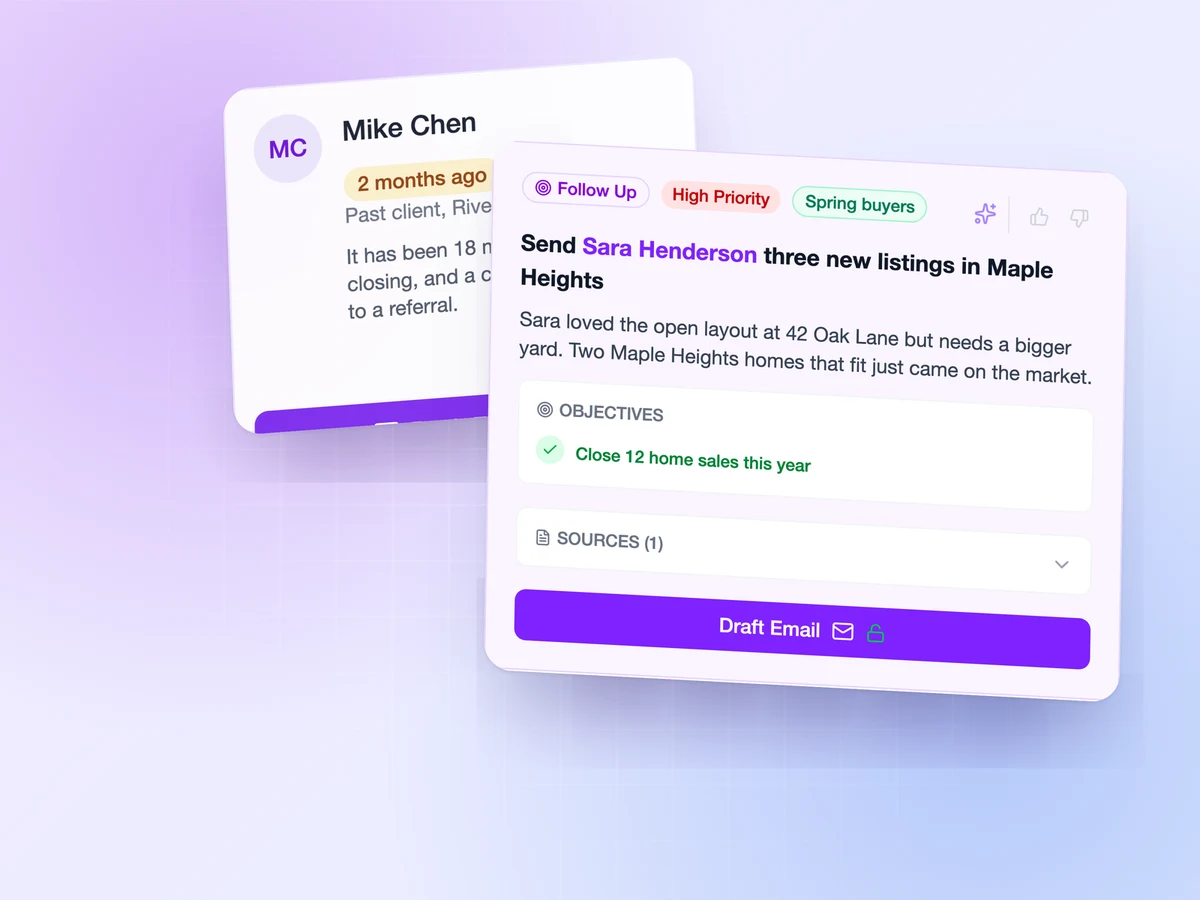
AI CRM & Contact Intelligence (Addon)
Never lose track of a buyer or seller. FindTime’s AI CRM & Contact Intelligence builds a relationship timeline from every booking — meetings, key details from your calls, and engagement signals — so you always know your client’s history at a glance.
- Automatic contact records from every showing and meeting
- Full engagement history per buyer and seller
- Time to Reconnect flags past clients worth a check-in, the source of your next referral
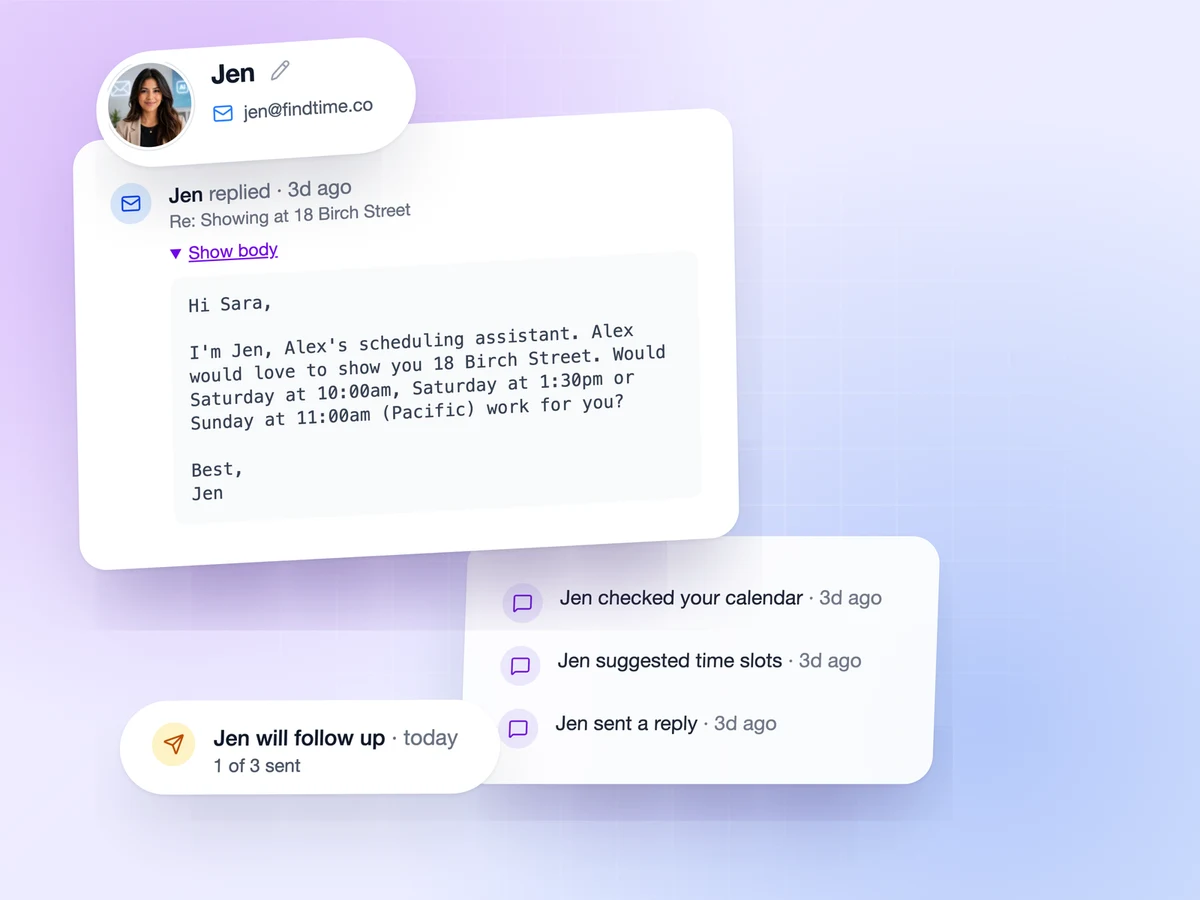
AI Email Agent (Addon)
Inquiries come in at all hours. CC FindTime’s AI Email Agent on a lead’s email and it handles the conversation, checks your availability, and confirms showings — so leads get an answer in minutes, not hours.
- CC it on a showing request and it replies with times and books
- Handles rescheduling and follow-up conversations
- Training Mode lets you approve every reply before it sends

Multi-Location Landing Pages (Teams plan)
Manage multiple listings or office locations from a single team landing page. Buyers pick a property or office and book directly with the right agent — no confusion, no misdirected inquiries. Available on FindTime Teams plan.
- One shareable link for all your active listings or offices
- Clients choose the location or property, then pick a time
- Each location routes to the right agent’s calendar